Schedule a Free Demo
No obligation • Takes less than a minute
Spare Parts Inventory Management
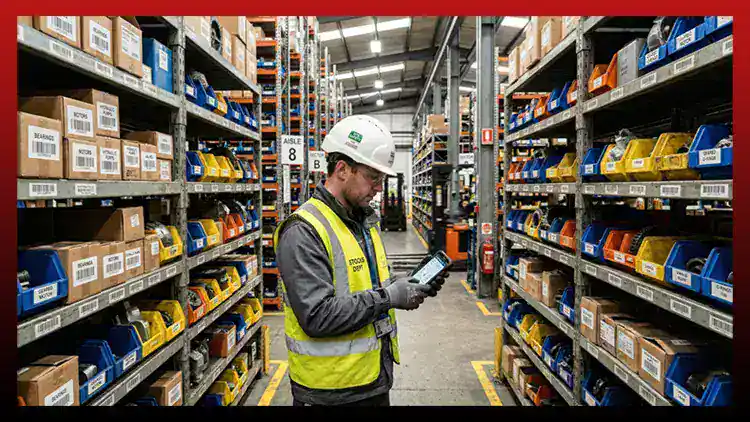
Spare Parts Inventory Management is the CMMS capability that tracks every spare part, consumable, and critical component across your storeroom in real time — linking parts directly to assets and work orders so maintenance jobs are never delayed by a missing part, an incorrect count, or an unplanned stock-out.
eWorkOrders gives maintenance teams a centralized parts storeroom built directly into their CMMS — reorder alerts fire before stock hits zero, every part transaction is tied to the asset and job that required it, and technicians can see and select the parts they need from right inside the work order.
Stop guessing what's on the shelf. Stop losing time to stock-outs. Know exactly what you have — and what you need — before every job starts.
Customers Love Us!















Every Spare Parts Inventory Feature — Visible Without Clicking
See exactly how eWorkOrders manages your parts storeroom — from first receipt to last use on a work order.
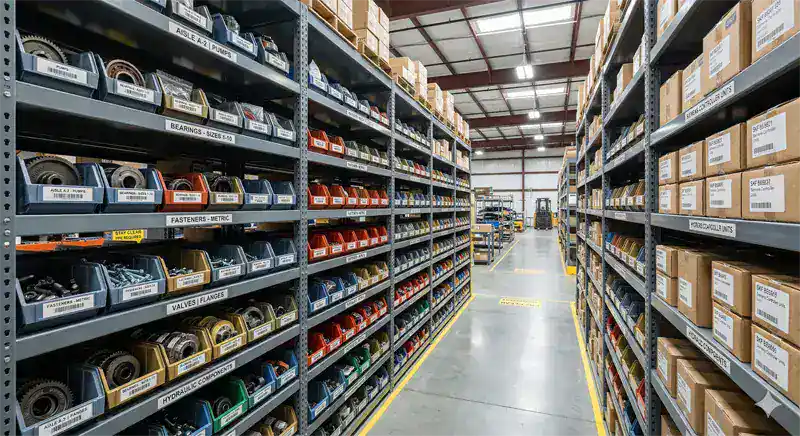
Every Part. Every Quantity. Every Location. Updated Automatically.
The eWorkOrders spare parts storeroom gives your maintenance team a live view of every part in inventory — current quantity on hand, minimum and maximum stock thresholds, storeroom location, unit cost, and which assets or PMs the part is associated with. There's no manual count at the start of each shift and no guessing whether a part is available before dispatching a technician.
When a technician pulls a part on a work order, the quantity on hand decrements automatically. If the updated count drops below the minimum threshold, a reorder alert fires — no one has to remember to check. Your storeroom is always current, always accurate, and always connected to the work being done.
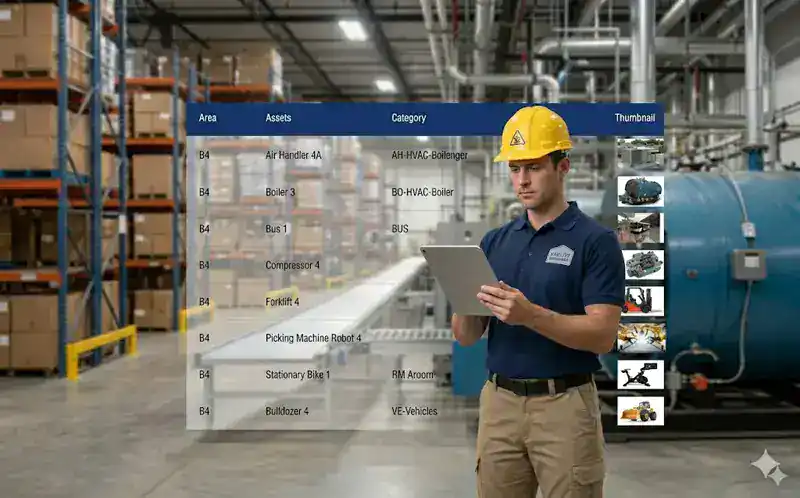
Every Part Used on Every Job — Recorded Automatically, Tied to the Asset
In eWorkOrders, technicians select parts directly from the storeroom while completing a work order on mobile. The system logs which parts were used, how many, what they cost, and which asset and job consumed them — without the technician needing to fill out a separate form or update a spreadsheet after the fact.
This creates a complete parts consumption history for every asset in your facility — how many bearings that pump has gone through, what the total parts cost is per piece of equipment over any time period, and which parts are consumed at a rate that warrants adjusting your minimum stocking levels.
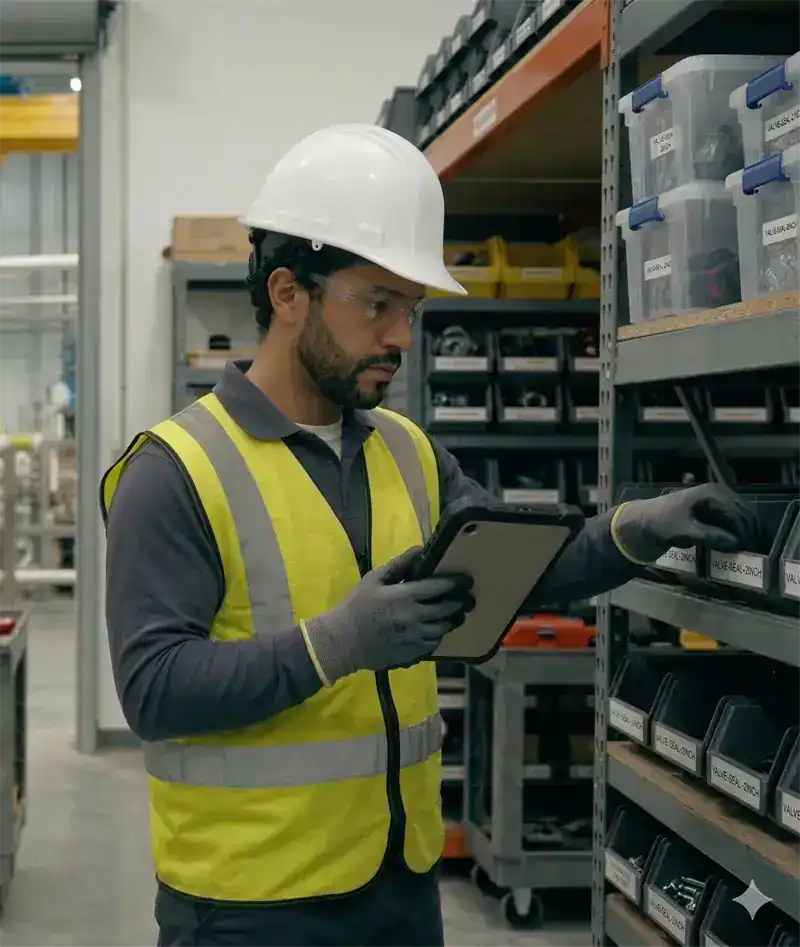
Never Run Out of a Critical Part — Reorder Alerts Fire Before Stock Hits Zero
eWorkOrders monitors every part's quantity on hand against the minimum stocking level you define. The moment a part falls below threshold — whether from a work order pull, a manual adjustment, or a cycle count — the system fires an automatic reorder alert to your purchasing contact, including the preferred vendor, reorder quantity, part number, and last unit cost.
According to Plant Engineering and the ARC Advisory Group, 49% of unplanned equipment downtime events can be traced back to a spare part that was unavailable or incorrectly stocked at the time of failure. Automatic reorder management eliminates that risk without requiring someone to physically walk the storeroom every morning.
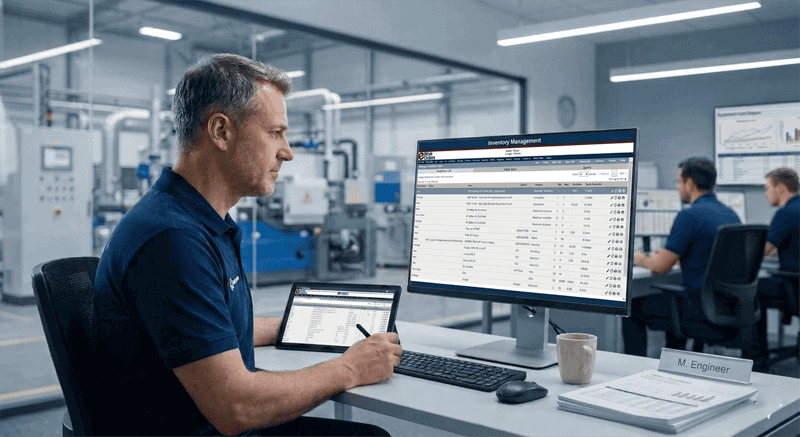
See Every Part Ever Used on an Asset — Total Cost of Ownership Built Automatically
Every part used on a work order in eWorkOrders is permanently linked to the asset it was consumed on. This builds a complete total cost of ownership record for each asset over its lifetime — what parts were replaced, how often, what they cost, and whether replacement costs are trending in a direction that warrants a capital replacement conversation.
Maintenance managers can use this data to justify budget requests, identify aging assets with rising parts costs, and feed preventive maintenance intervals with real consumption patterns rather than manufacturer-recommended guesses. When the parts history says a bearing has been replaced four times in eighteen months, that's the data that drives the right decision.
What Is Spare Parts Inventory Management?
Spare parts inventory management is the process of tracking, organizing, and controlling the physical stock of maintenance, repair, and operations (MRO) materials — bearings, belts, seals, lubricants, filters, electrical components, and any other consumable or replacement part your team needs to keep equipment running. In a CMMS, it means parts records are linked directly to assets and work orders — so inventory updates happen automatically, not manually. According to the Deloitte MRO Procurement Survey, 20–30% of the inventory held in a typical industrial storeroom is excess, obsolete, or duplicated — representing tied-up capital that produces no return.
For maintenance managers, effective spare parts management means technicians arrive at every job knowing the part they need is on the shelf — not discovering the storeroom is empty after they've already disassembled the equipment. It also means finance and operations leadership can see what the storeroom actually costs to maintain, and whether the investment in critical spares is justified by the assets those parts protect.
The difference between a parts list and a managed inventory: A parts list tells you what parts exist. A managed inventory — integrated with your CMMS — tells you what's on hand right now, what's being consumed, what's below minimum, and what each asset has cost in parts over its lifetime. eWorkOrders delivers the managed inventory, not just the list.
See How eWorkOrders Manages Your Parts Storeroom — Live Demo, No Commitment
Our US-based team builds every demo around your facility type, storeroom size, and parts management challenges.
How eWorkOrders Manages Every Aspect of Your Parts Storeroom
From receiving new stock through final consumption on a work order, every parts transaction is tracked automatically — with full audit trail and cost visibility.
| Parts management task | Without a CMMS | Automated? | How eWorkOrders handles it |
|---|---|---|---|
| Stock ReceivingNew parts arriving | Manual count and spreadsheet entry — error-prone and time-consuming | Automated | Received parts are logged directly in eWorkOrders — quantity, unit cost, vendor, and bin location recorded at receipt. Inventory count updates immediately and purchase history is stored against the part record. |
| Parts LookupDuring work order | Paper bin cards, physical storeroom walk, or call to the storeroom manager | Automated | Technicians search parts directly from the work order on mobile — see current quantity on hand, bin location, and unit cost without leaving the job screen. Parts are selected and pulled without a separate transaction. |
| Inventory DeductionAfter part is used | Manual spreadsheet update — often forgotten, resulting in phantom stock | Automated | When a technician logs a part used on a work order, the quantity on hand decrements automatically. No separate transaction required. The inventory is always current — not dependent on someone remembering to update a spreadsheet. |
| Reorder AlertsLow stock detection | Reactive discovery — parts found empty when needed for a job | Automated | eWorkOrders compares quantity on hand to configurable minimum stocking levels after every transaction. When stock falls below minimum, a reorder alert is automatically sent to the designated purchasing contact with vendor, quantity, and part details. |
| Cycle CountsPhysical inventory audit | Annual manual count — storeroom shut down, labor-intensive, inaccurate | Supported | eWorkOrders supports cycle count workflows with barcode scanning on mobile — count subsets of inventory on a rolling basis without shutting down the storeroom. Discrepancies flag for review and adjustment with a full audit trail. |
| Cost ReportingParts spend by asset | No visibility — parts costs buried in invoices, no per-asset breakdown | Automated | Every part consumed on a work order is costed against the asset automatically. eWorkOrders builds cumulative parts cost per asset — searchable by date range, asset class, or location — giving managers the data they need to justify capital replacement decisions. Explore reporting → |
Barcode scanning — included in Advanced and Enterprise plans.
eWorkOrders Advanced and Enterprise plans include barcode scanning for parts receiving, cycle counts, and work order parts pulls — directly from iOS and Android mobile devices. No additional hardware required for basic scanning.
Every Spare Parts Inventory Capability Your Team Needs
From initial parts setup through reorder management, cost reporting, and compliance documentation, eWorkOrders gives you a complete parts storeroom — built inside the same system your technicians use every day.
Every part, consumable, and MRO item catalogued in a single searchable storeroom — with part number, description, manufacturer, alternate part numbers, unit of measure, unit cost, and storeroom bin location. No more hunting through multiple lists or calling the storeroom to check stock.
Scan barcodes at receiving, during cycle counts, and when pulling parts on work orders — directly from any iOS or Android device. Barcode scanning eliminates manual entry errors and speeds up every storeroom transaction. Barcode labels printable directly from eWorkOrders.
Configure minimum and maximum stocking levels for every part. When quantity on hand drops below minimum — from a work order pull, a manual adjustment, or a cycle count — eWorkOrders automatically alerts purchasing with vendor, part number, and reorder quantity. No one has to remember to check.
Technicians select parts from the live storeroom directly inside a work order on mobile. Inventory decrements automatically on selection. No separate parts transaction, no spreadsheet update, no storeroom manager call required to log what was used.
Report on parts spend by asset, asset class, location, time period, or work order type — automatically. Identify the highest-cost assets in your portfolio, spot over-consumed parts that signal maintenance issues, and export data for budget justifications and capital planning.
Every parts transaction is permanently timestamped — who received it, who pulled it, which work order consumed it, what it cost. Complete parts audit trail supports FDA, OSHA, ISO, and regulatory compliance documentation without any manual assembly effort.
Attach a parts list to any preventive maintenance template. When a PM work order is generated, the required parts are visible on the job — so technicians and storeroom staff can ensure the right materials are on hand before the job begins. Supports planned, proactive stocking decisions based on scheduled work.
Store preferred vendor, vendor part number, last purchase price, and lead time against every part in the storeroom. When a reorder alert fires, purchasing has everything they need to place the order immediately — no lookups, no hunting through old invoices or email threads.
Manage parts across multiple storeroom locations, buildings, or facilities — each with their own bin structure, stock levels, and purchasing contacts. Transfer parts between locations with a full audit trail. Ideal for organizations managing maintenance across multiple sites or campuses.
Connect eWorkOrders to your ERP, purchasing, or accounting system via API — so parts receipts, purchase orders, and cost data flow between systems without duplicate entry. Supports SAP, Oracle, Sage, QuickBooks, and custom integrations.
Every part consumed on a work order accumulates against the asset — building a complete parts cost history over the asset's life. See total cost of ownership across any date range, make vs. buy decisions, and identify assets whose repair costs now exceed replacement value.
AI analyzes work order history and asset failure patterns to recommend the right parts to stock and the optimal minimum quantities — reducing both stock-outs and overstock based on your actual maintenance data, not generic industry averages.
The 6 Stages of Spare Parts Lifecycle Management
Every spare part in eWorkOrders follows a defined lifecycle — from initial setup through final consumption on a work order — with every transaction tracked, timestamped, and tied to the asset it serves.
Parts are entered into eWorkOrders with part number, description, manufacturer, alternate part numbers, unit of measure, storeroom location (building, aisle, bin), unit cost, preferred vendor, minimum quantity, maximum quantity, and asset associations. Initial inventory counts are loaded and the storeroom is immediately searchable from any device. Parts can also be linked to PM templates so the correct materials show on scheduled work orders automatically.
When new parts arrive from a vendor, they are received into eWorkOrders — quantity, unit cost, purchase order number, and vendor recorded. The quantity on hand updates immediately. If the receipt resolves a reorder alert, the alert is automatically closed and the purchasing contact notified. Barcode scanning on mobile speeds up receiving for high-volume storerooms. Every receipt is logged in the parts transaction history with timestamp and user.
Before dispatching a technician, the maintenance manager or the technician themselves can check parts availability directly from the work order on mobile. The system displays current quantity on hand and bin location for every part associated with the job — so technicians know exactly what's available and where to find it before leaving the shop. If a required part shows insufficient stock, the system flags it for procurement before dispatch.
The technician selects parts used from the storeroom directly on the work order — by searching part name, number, or scanning a barcode. The quantity used is logged, the inventory count decrements automatically, and the cost is posted to the work order's materials cost total. All of this happens in real time from mobile — no paper forms, no separate storeroom transaction, no delayed data entry.
After each parts transaction, eWorkOrders checks whether the updated quantity on hand has fallen below the configured minimum. If it has, an automatic reorder alert is generated and sent to the designated purchasing contact — including part number, description, preferred vendor, vendor part number, suggested reorder quantity, and last unit cost. Purchasing can act immediately without needing to run a report or walk the storeroom.
Over time, eWorkOrders builds a complete picture of parts consumption — what's used most, what's sitting untouched, what each asset costs in materials, and how stocking levels should be adjusted based on real consumption patterns rather than guesses. Managers export parts spend reports by asset, location, time period, or work order type to support budget planning, procurement negotiations, and capital replacement decisions. The reporting module makes the storeroom a strategic asset — not just a cost center.
Why Maintenance Teams Choose eWorkOrders for Spare Parts Management
Built for maintenance since 1995. Independent, US-based, and focused on what actually works in the storeroom.
eWorkOrders is not a standalone inventory system bolted onto a CMMS. Parts, work orders, assets, and PMs are built in the same platform — so inventory updates happen automatically when work happens, not when someone remembers to update a spreadsheet. The integration is native, not an afterthought.
Import your parts list via spreadsheet and your storeroom is searchable in hours. No IT project, no separate inventory module to license, no months-long implementation. Our US-based onboarding team configures your minimum levels, vendor records, and asset associations with you.
Every parts transaction feeds automatically into reporting — spend by asset, by location, by work order type, by time period. No spreadsheet extraction required. Use this data to justify budget increases, right-size stocking levels, and prove parts cost trends to leadership.
Founded 1995. Beholden to customers, not investors. 120+ industry awards. 4.9 stars on Capterra, G2, and GetApp. When you call with a parts management question, you reach someone who has helped hundreds of maintenance teams solve the same problem.
Questions about setting minimum levels, configuring reorder alerts, or importing your parts list? Call us. A knowledgeable support person picks up and responds within hours — not days, not tickets. The reason customers stay for decades, not months.
Enterprise-grade security with SSO, role-based permissions on storeroom access, complete parts audit trails, and one of the highest security ratings in the CMMS industry. Your parts data, purchase records, and cost reports are fully protected and compliant.
Common Spare Parts Inventory Challenges — and How eWorkOrders Solves Them
Without a CMMS-integrated storeroom, maintenance teams either overstock to avoid stock-outs — tying up capital in parts that may never be used — or understock and discover missing parts only when a machine is already down. According to Aberdeen Group research, organizations with CMMS-integrated parts management report an average 24% reduction in inventory carrying costs and a significant improvement in maintenance schedule compliance. eWorkOrders solves both sides of the problem with automatic tracking and reorder management.

Technician Arrives at Job Without the Right Parts
This is the single most common parts management failure — and it's almost entirely preventable. When technicians can check parts availability from the work order before leaving the shop, they arrive prepared or the job is rescheduled before equipment is disassembled. eWorkOrders shows parts availability in real time, from any device, before dispatch.
49% of unplanned downtime events are caused by spare parts being unavailable at the time of equipment failure — the most preventable form of downtime in any facility (Plant Engineering / ARC Advisory Group).
Inaccurate Inventory Counts — Phantom Stock
When parts usage is logged manually — after the fact, on paper, or in a separate spreadsheet — the storeroom record drifts from reality. eWorkOrders deducts inventory automatically when parts are logged on a work order, and supports barcode-scanned cycle counts to reconcile any discrepancies. The inventory is always current — not dependent on someone's memory.
Organizations using CMMS-integrated inventory management report up to 30% improvement in inventory accuracy compared to manual spreadsheet tracking (Aberdeen Group / Plant Services).
No Visibility Into Parts Costs Per Asset
Without parts cost tracking per asset, maintenance managers have no way to justify capital replacement decisions or identify assets whose repair costs have exceeded replacement value. eWorkOrders builds parts cost history per asset automatically — so the data is always there when you need it for a budget discussion or a capital planning meeting.
78% of CMMS users report improvements in equipment life expectancy — tied directly to complete maintenance and parts cost records that inform better repair vs. replace decisions (Plant Engineering).
Overstocking Critical Capital in Slow-Moving Parts
Without consumption data, purchasing buys based on gut feel or manufacturer recommendations — resulting in storerooms full of parts that haven't moved in years. eWorkOrders tracks actual consumption rates per part and per asset, enabling data-driven stocking decisions that free up capital without increasing stock-out risk.
20–30% of MRO inventory held by industrial companies is excess, obsolete, or duplicated — representing capital tied up in parts that produce no maintenance value (Deloitte MRO Procurement Survey).
Spare Parts Inventory Management for Every Industry
Every facility has a storeroom. The parts are different — the inventory management problems are the same.
High-volume production lines cannot tolerate stock-outs on critical bearings, belts, seals, and electrical components. eWorkOrders tracks every part against the machines they serve — so reorder alerts fire before a planned PM is delayed by a missing part. Trusted by Honda manufacturing operations.
FDA and HACCP compliance requires complete traceability of parts used on food-contact equipment. eWorkOrders links every part transaction to the asset and work order — creating the audit trail regulators require without any manual documentation. Used by McDonald's operations.
Medical equipment maintenance requires parts traceability for JCAHO and CMS compliance. eWorkOrders tracks every part used on clinical and facility equipment — what part, which equipment, which technician, when — supporting documentation requirements automatically.
Pump stations and treatment plants depend on critical spare impellers, seals, and control components that have long lead times. eWorkOrders tracks these long-lead parts with early reorder alerts — ensuring critical spares are on hand before a pump failure, not ordered after one.
Multi-building facilities need parts tracked by location — so the HVAC filter for Building A is not confused with the one for Building C, and procurement orders for each site are tracked separately. eWorkOrders supports multi-storeroom, multi-location parts management from a single platform.
Power generation facilities maintain high-value spare parts inventories for turbines, generators, and transformers — components that can take months to procure if not stocked. eWorkOrders manages critical spare tracking, reorder lead times, and vendor data for long-lead components where stock-outs are not an option.
Proven Results — Real Customers
"The ability to verify what work was done and what parts were used is priceless."

Aaron

eWorkOrders: Best CMMS for Easy Work Orders & Accurate Inventory
Creating and monitoring work orders is very intuitive and valuable. The ability to verify what work was done and what parts were used is priceless. The inventory and purchase orders are intuitive and ...

eWorkOrders: Best CMMS for Easy Work Orders & Accurate Inventory
Creating and monitoring work orders is very intuitive and valuable. The ability to verify what work was done and what parts were used is priceless. The inventory and purchase orders are intuitive and a must as well. Being able to track on-hand inventory and how it flows is extremely valuable.
We chose eWorkOrders due to its superior ability to record the purchase and tracking of inventory. Also, the work order information was much more detailed and easy to use than anything on the market. The tech support is amazing as well! They ALWAYS respond to any issue or suggestion that we have in a timely and professional manner.
The implementation of this system has allowed us to document the work we perform on our plant equipment, both for maintenance and for safety records. We can now historically track all parts used and time spent on assets. We also have detailed records of the company assets as well.
The inventory portion allows us to order and track inventory as well as accurately cost what we use and check vendor pricing.
Aaron

Rhett

Saved $150,000! eWorkOrders Understands Customer Requirements
eWorkOrders saved my client (Virginia Department of Transportation) over $150,000 a year in headcount alone! Before they implemented eWorkOrders, VDOT was managing multiple systems, with multiple plat...

Saved $150,000! eWorkOrders Understands Customer Requirements
eWorkOrders saved my client (Virginia Department of Transportation) over $150,000 a year in headcount alone! Before they implemented eWorkOrders, VDOT was managing multiple systems, with multiple platforms. Being a government facility, they are very conscious of budgets and expenses. With the eWorkOrders CMMS solution, they have all of their inventory and asset information, documents, schedules, and information stored in one centralized location that can be accessed from anywhere, at any time! Through the implementation and the ease of use of eWorkOrders CMMS centralized solution, they no longer needed multiple people managing multiple legacy systems and were able to reduce their headcount and utilize these employees in another area. Overall, the system saved time, money, and increased productivity and efficiency.
It has been great working with the eWorkOrders Team! They understood my customers’ needs and requirements, budget constraints, and worked with them to quickly get them up and running on the software.
I highly recommend this team for any company that really wants to achieve success with a new CMMS solution. It is really nice to work with a team that listens to what you want and need and delivers a solution with an exceptional outcome! eWorkOrders is in the business of successfully assisting organizations through the implementation process and making sure that customers are comfortable with their system. eWorkOrders has the best professional, technical, and management team who all work together to ensure customer satisfaction!
Rhett

Nick

eWorkOrders CMMS Boosted Maintenance and Cut Downtime at 5 Plants
On behave of The OPs VP, Myself, the Managers and the Maintenance teams across 5 very different plants, thank you all for bringing our PM programs from nearly non-existent in some cases, to a full-fle...

eWorkOrders CMMS Boosted Maintenance and Cut Downtime at 5 Plants
On behave of The OPs VP, Myself, the Managers and the Maintenance teams across 5 very different plants, thank you all for bringing our PM programs from nearly non-existent in some cases, to a full-fledged “well-oiled machine” also Special Thanks to the team for all his hard work and time spent guiding us and the Hrs spent teaching us and always giving us the right tools we need to succeed!! I could not imagine a better group of guys to work with than these
The System has drastically changed the way our maintenance team operates! cutting down on downtime and making sure that our teams are out in the field and focusing on the issues that really keep our plants running, and minimizing breakdowns by scheduling maintenance rather than waiting around for things to break.
Nick
Ready to Stop Running Out of Critical Parts?
Calculate exactly how much eWorkOrders could save your operation in parts costs, stock-outs, and storeroom labor — free, no email required.
Common Questions About Spare Parts Inventory Management
Everything maintenance managers and storeroom supervisors ask before choosing a CMMS for parts management.
What is spare parts inventory management in a CMMS?
Spare parts inventory management in a CMMS is the capability that tracks every maintenance, repair, and operations (MRO) part — quantity on hand, storeroom location, minimum stock levels, vendor information, and cost — and links parts directly to assets and work orders. When a technician uses a part on a job, the inventory count decrements automatically. When stock falls below minimum, a reorder alert fires automatically. eWorkOrders handles the full lifecycle from receiving through final consumption, with complete audit trail and cost reporting.
How does eWorkOrders update inventory counts automatically?
When a technician completes a work order in eWorkOrders and logs the parts used, the quantity on hand for each part decrements automatically — no separate storeroom transaction required. Similarly, when parts are received from a vendor, the quantity on hand increments automatically at the time of receipt. The storeroom is always current, always reflecting actual usage — not dependent on someone manually updating a spreadsheet after the fact.
How do automatic reorder alerts work in eWorkOrders?
You configure a minimum stocking level for each part in eWorkOrders. After every inventory transaction — parts pull, receipt, adjustment, or cycle count — the system compares quantity on hand to that minimum. If stock has dropped below threshold, an automatic reorder alert is generated and sent to the designated purchasing contact. The alert includes the part number, description, preferred vendor, vendor part number, suggested reorder quantity, and last known unit cost. No report needs to be run, no one needs to walk the storeroom to discover the shortage.
Can technicians check parts availability from their mobile device?
Yes — technicians can see parts availability directly from any work order on the eWorkOrders mobile app for iOS and Android. When a work order is opened, the parts associated with the job show current quantity on hand and storeroom bin location. Technicians can also search the full parts catalog from mobile, scan barcodes to look up parts, and log parts used by scanning — without ever returning to a desktop or filling out a paper form. Available in eWorkOrders Advanced and Enterprise plans.
Does eWorkOrders track parts costs per asset?
Yes — every part consumed on a work order is costed against the asset that work order was performed on. eWorkOrders builds a cumulative parts cost history for every asset automatically over its entire life in the system. You can see total materials cost per asset by date range, compare parts spend across asset classes, and identify assets whose parts costs now justify capital replacement conversations — all without building a spreadsheet or running a separate report.
Can I manage multiple storeroom locations in eWorkOrders?
Yes — eWorkOrders supports multiple storeroom locations, each with their own bin structure, stock levels, and purchasing contacts. Parts can be tracked by building, site, or storeroom — so a bearing stocked at Building A is not confused with the same part stocked at Building C. Inter-storeroom transfers are supported with a full audit trail. Multi-site organizations can manage all storerooms from a single platform with location-level access controls.
Can parts be linked to preventive maintenance schedules?
Yes — parts lists can be attached to any PM template in eWorkOrders. When a scheduled PM work order is generated, the required parts list is included on the job — so technicians and storeroom staff can verify availability before the maintenance date arrives. This supports proactive stocking decisions based on scheduled work, not just reactive ordering after a failure. Parts associated with high-frequency PMs can be used to inform minimum stocking levels as well.
Does eWorkOrders support barcode scanning for parts?
Yes — eWorkOrders Advanced and Enterprise plans include barcode scanning for parts management directly from iOS and Android mobile devices. Scanning is supported for parts receiving, work order parts pulls, and cycle count workflows. Barcode labels for parts can be printed directly from eWorkOrders. No additional hardware is required for basic scanning — the smartphone camera handles it.
Can eWorkOrders integrate with our ERP or purchasing system?
Yes — eWorkOrders connects to ERP, purchasing, and accounting systems via API. Parts receipts, purchase order data, and cost transactions can flow between eWorkOrders and systems like SAP, Oracle, Sage, QuickBooks, and others — eliminating duplicate data entry and keeping financial records in sync with the physical storeroom. Explore system integrations →
Spare Parts & Inventory Management Resources
Guides, templates, and tools to help your team right-size the storeroom and eliminate stock-outs.













Stop Losing Jobs to Missing Parts. Know What's on the Shelf Before Every Job Starts.
Join Honda, McDonald's, Kings River Packing, and thousands of maintenance teams managing their storeroom in eWorkOrders. Get a live demo built around your facility type, storeroom size, and parts management challenges.
All third-party statistics are sourced from publicly available, independently published industry research. Capterra, G2, GetApp, and Software Advice badge imagery is the intellectual property of their respective owners, displayed consistent with each platform’s standard badge-use policies. eWorkOrders images used on this page are owned by Information Services Group LLC and used with permission. eWorkOrders® is a registered trademark of Information Services Group LLC. No competitor names or trademarks are referenced on this page. |
1. Plant Engineering / ARC Advisory Group. Spare parts availability and unplanned downtime research. |
2. Deloitte. MRO Procurement: Transforming the Indirect Spend Category. |
3. Aberdeen Group. Maintenance, Repair and Operations — Managing the Complexity of an Essential Business Process. |
4. Plant Engineering. CMMS and inventory management research. |
5. Capterra, G2, GetApp. eWorkOrders user ratings and reviews. Accessed April 2026.


